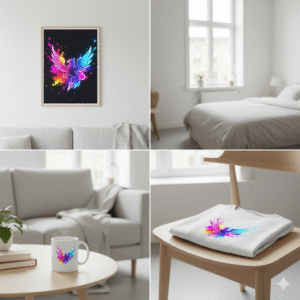
In the physical world, a masterpiece placed in a cheap, poorly lit frame loses its soul. In the digital realm, the principle is identical. Your art might be impeccable, but if it is not presented in a context that allows the viewer to imagine it in their life, it remains just a file on a hard drive.
Finding the Best Mockup and Layout Tools is not about software; it is about building a virtual gallery. Whether you are selling fine art prints on Etsy or presenting a branding concept to a high-end client, the mockup is the bridge between your imagination and their reality.
The Curator’s Criteria: Why Presentation Matters
After decades of hanging works in galleries, I can tell you that “staging” is 50% of the sale.
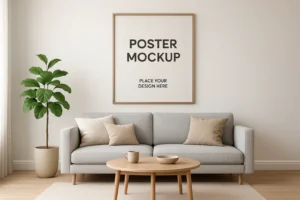
Context is King: A collector needs to see how that print looks above a Nordic sofa.
The “Touch” Factor: A good mockup simulates texture and lighting, giving a digital image a physical weight.
Efficiency: We are artists, not photographers. These tools allow us to create a photoshoot-quality image in seconds, leaving us more time to paint.
The Curator’s Selection: Tools for Every Stage
1. The Essential Studio Assistant: Canva Pro
For the artist who needs speed without sacrificing aesthetics, Canva has become the standard.
- The Master’s View: It is more than a design tool; it is a publishing house. Its integration of “Smartmockups” allows you to drag your artwork onto a canvas, a mug, or a shirt instantly.
- Best For: Social media velocity and Etsy listings.
2. The Commercial Gallery: Placeit by Envato
If your art is destined for merchandise (Print on Demand), Placeit is the heavy lifter.
- The Master’s View: It offers the largest library of “lifestyle” scenes. It puts your art on models of diverse backgrounds and settings, making the product feel universally accessible.
- Strategic Edge: Their video mockups are vital for the TikTok and Reels era.
3. The Professional Showroom: Artboard Studio
When the presentation must look like a high-end advertising campaign, this is my choice.
- The Master’s View: Unlike static mockups, Artboard Studio allows you to move the items, change the shadows, and adjust the lighting. It is 3D composition for 2D artists.
- Best For: Agency portfolios and premium brand presentations.
4. The Specialist: Smartmockups
Now integrated with Canva but powerful on its own.
- The Master’s View: If you sell wall art, their interior scenes are some of the most realistic I have seen. They avoid that “fake” 3D look that turns off sophisticated buyers.
5. The Architect’s Table: Adobe Express & Figma
For those who are building systems rather than just images.
- The Master’s View: Adobe Express brings the power of Photoshop AI to the web. Figma, while technical, is brilliant for laying out how digital art lives on screens and interfaces.
The Curator’s Perspective: How to Choose Your Frame
Don’t get lost in the options. Choose the tool that serves the destination of the art:
- For the Quick Sale (Social/Etsy): Canva Pro or Placeit. Speed is the priority.
- For the High-Ticket Client: Artboard Studio. You need to control the lighting and the angle to convey luxury.
- For the Fine Art Print: Smartmockups. The texture of the paper and the shadow of the frame must be perfect.
Master’s Tip: “Never let the mockup outshine the art. The best frame is the one you don’t notice because you are too busy admiring the picture.”
Conclusion: Bring Your Art to Life
Mockup and layout tools are the final brushstroke of your digital workflow. They transform a concept into a commodity. From the ease of Canva to the depth of Artboard Studio, these instruments allow your work to travel the world and enter people’s homes before you even print a single copy.
FAQ: The Master’s Answers
Q1: What is the difference between a mockup and a layout? A mockup creates a realistic simulation of your art in the real world (e.g., a painting on a wall). A layout is the structural arrangement of design elements (text, images, shapes) to create a cohesive composition.
Q2: Which tool is best for Etsy sellers? Placeit and Canva Pro are the leaders. Placeit excels at lifestyle scenes (showing the product in use), while Canva is superior for creating uniform, branded listing images.
Q3: Do I need paid tools for professional results? For high-end printing, yes. Free tools often limit the resolution. To sell a “Fine Art Print,” your mockup must be high-resolution (300 DPI equivalent) to show quality. A paid tool is an investment in your perceived value.
Q4: Can I use mockups for video content? Absolutely. Platforms like Placeit and Artboard Studio now offer video mockups. In an era dominated by short-form video, a moving mockup captures attention significantly faster than a static image.
Q5: Are these tools SEO-friendly? Indirectly, yes. A high-quality image increases your “Click-Through Rate” (CTR). Google and Etsy reward listings that get clicked. Always name your mockup files correctly (e.g., “abstract-art-living-room-mockup.jpg”) before uploading.

If you’re fascinated to explore and expand further on this topic, click here on the link:
Digital Tools and Software
Want to push your creativity even further using these tools?
Explore the innovation zone here:
Creative Tech & Art Labs
Want to learn more about everything Print on the Hand has to offer? Click here to see all categories together:
Categories
